What causes inner groove distortion? It happens because the stylus travels less distance per rotation as it moves inward, so the same music has to fit into a shorter groove with a steeper groove angle. When the stylus shape and cartridge cannot follow that angle accurately, the tip partially mistracks the groove wall, and the last track or two of a side sounds harsh, shrill and loud instead of clean.
Most of what you hear in the inner grooves is mistracking, not an electronics fault. That distinction matters enormously, because the fixes are completely different depending on the cause, and the most popular self-remedy people try actually damages your records.
I have spent a lot of evenings diagnosing this with friends’ systems and my own collection, and the pattern is nearly always the same. Some records are fine to the run-out groove, some fall apart on track four of a side, and some only misbehave on one channel. Once you have heard a few of those cases you stop guessing and start testing.
Table of Contents
- What Is Inner Groove Distortion?
- Why the inner grooves are different from the outer ones
- The Main Causes of Inner Groove Distortion
- How to Tell Whether the Problem Is the Record or the Turntable
- Inner groove distortion compared with other faults
- Why it sounds worse at lower listening volume
- How to Fix Inner Groove Distortion Without Replacing the Record
- Stylus Wear, Tracking Force, and Groove Damage
- Why Inner Grooves Are More Vulnerable to Damage
- When to Replace the Record, Stylus, or Cartridge
- Frequently Asked Questions
- Why does the inside of my vinyl record sound distorted?
- Can a scratched record cause inner groove distortion?
- Does increasing tracking force fix inner groove distortion?
- Is inner groove distortion usually caused by the stylus?
- How can I tell if the record is warped?
- Should I stop playing a record with distortion near the label?
- Conclusion
What Is Inner Groove Distortion?
Inner groove distortion, usually shortened to IGD, is the loss of accuracy that shows up as the stylus approaches the label. The sound is usually described as sibilant, shrill, harsh or edgy, and it gets worse at loud passages and bright cymbals rather than sounding dull or muffled.
Two features separate it from almost every other vinyl fault. First, it appears late in a side and disappears the moment you move back toward the outer grooves. Second, turning the volume down makes it more obvious, not less, because the top end blooms while the overall level drops.
That second point trips people up constantly. A listener hears something wrong at low volume and assumes the amplifier is clipping on quiet passages, when what they are actually hearing is high-frequency distortion sitting on top of a quieter passage.
Why the inner grooves are different from the outer ones
A vinyl record is not a digital disc with a centre hole. The groove spirals inward continuously, and the record spins at a constant speed. Every rotation closer to the label covers less physical groove, so the audio information has to be packed tighter into a shrinking space.
The figures people quote from the vinyl forums put it plainly: one half revolution at the outermost groove covers roughly 20 inches of groove, while the same half revolution at the innermost groove covers about 6 inches, for the same amount of music or more. That is a ratio of better than three to one in favour of the inner grooves having to compress.
Compression like this does two things. It narrows the groove itself, and it steepens the groove angle relative to the record surface because the cutter is moving more slowly. A stylus shaped for the wide, shallow-angle outer grooves simply has less room to work at the inside.
There is a popular myth worth killing here, because it sends people chasing the wrong fix. Plenty of people believe the cartridge alignment is automatically worse near the centre because the arm geometry shifts. In practice the opposite is often true on a pivoted arm, because the arm angle changes most as the stylus sits closest to the pivot. What genuinely changes is the groove angle and the linear velocity, both of which get steeper and slower.
An expert post on AudioKarma put it as: inner groove distortion is best thought of as mistracking, and the alignment is not worse at the innermost groove. What differs is the groove angles, which are steeper inside because of lower record velocity. That single distinction is the key to diagnosing the whole problem.
The Main Causes of Inner Groove Distortion
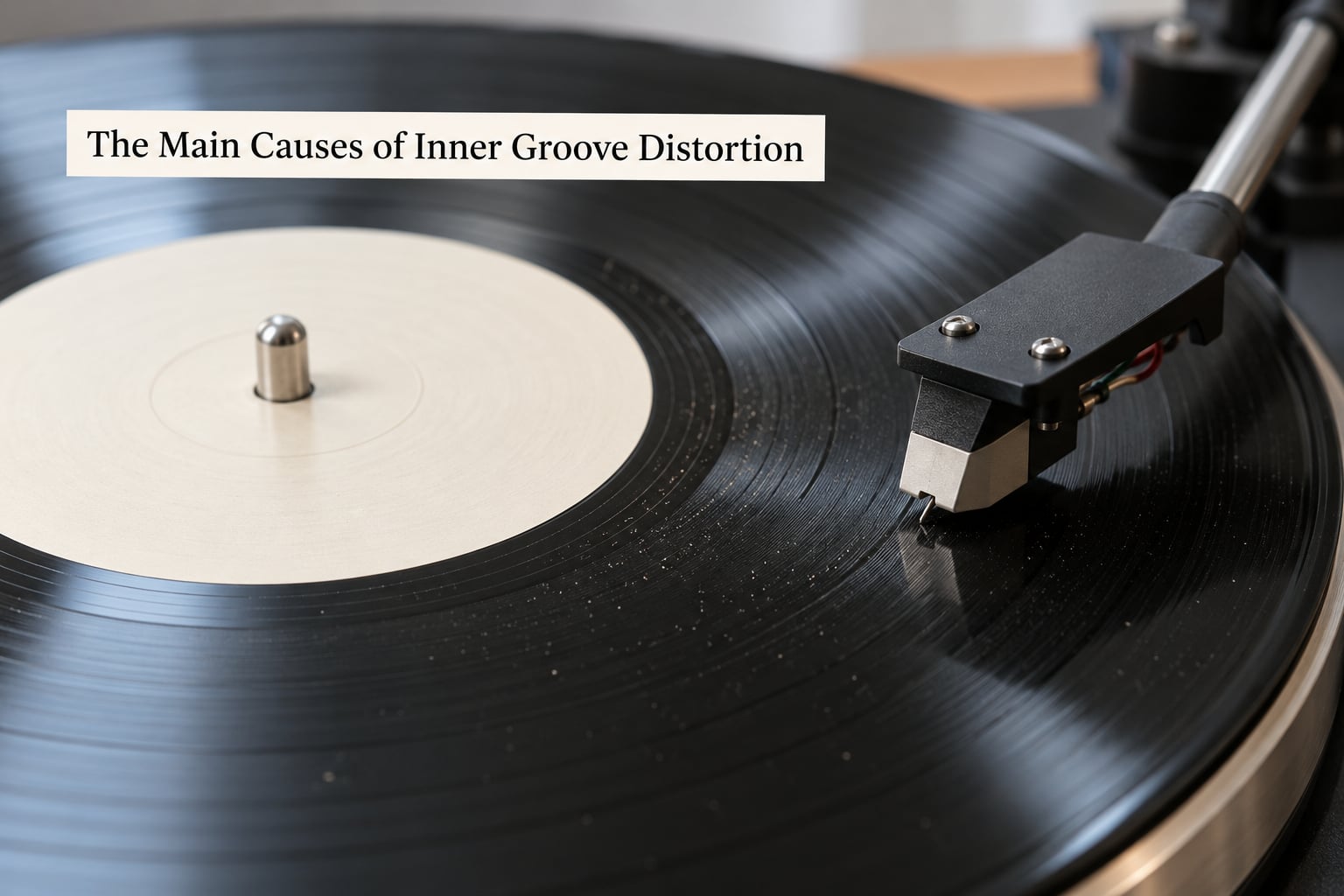
The table below is the fastest way to narrow things down. Read the symptom column until you find the one that matches what you hear, then run the confirmation test before you change anything on your turntable.
| Likely cause | What you hear | How to confirm it |
|---|---|---|
| Worn or damaged stylus | Harshness everywhere, extra sibilance on vocals, detail loss across the whole record | Inspect the tip under magnification, or play the record on a system you know is healthy |
| Stylus shape mismatch | Only the brightest, loudest passages break up near the label | Check whether the cartridge is elliptical and whether it is rated for high tracking ability |
| Incorrect cartridge alignment | Distortion peaks on one channel or one side, often worse on quiet tracks | Realign with an arc protractor and retest the same track |
| Tracking force too low | Mistracking on the last two or three tracks, skipping on quiet passages | Raise tracking force to the cartridge spec and replay the same track |
| Anti-skate set too high | One channel distorts more than the other through peaks | Set anti-skate to the method the tonearm maker specifies and retest |
| Dust or debris in the grooves | Rapid pops and crackle, often louder in one channel | Clean with a proper brush and fluid, then replay before judging anything else |
| Worn inner grooves on the record | Shrillness confined to the last tracks, fades with repeat plays | Compare a second copy of the same pressing |
| Poor pressing or cutting | Same distortion on that title every time, on any decent system | Try another copy; if it follows the title, the record is the problem |
Worn stylus and alignment errors are the two that get blamed on the record most often, so start there. The rest of the list is ordered by how often it turns out to be the actual culprit in my experience, and dirt is far higher on that list than most owners expect.
How to Tell Whether the Problem Is the Record or the Turntable
Work through these in order and stop as soon as the distortion goes away. Each step rules something out, so skipping ahead wastes money.
- Clean everything first. A dirty stylus and a dirty record produce the same symptoms as a worn stylus. Before changing parts, clean the cartridge with a soft brush and a proper stylus fluid, then clean the record itself and replay the exact track that failed.
- Replay the same track on a different record. If the second record plays its inner grooves cleanly, your setup is probably fine and the first record is the problem.
- Try the suspect record on a different system. A friend’s correctly aligned setup playing the last few tracks of the same side tells you in about thirty seconds whether you are chasing a pressing issue or a setup issue.
- Check both sides. If the same record distorts on both sides in the same place on each, the record is very likely at fault. If it tracks with position instead, suspect the cartridge, the alignment or the arm.
- Look at repeatability. Dust produces random pops that change every play. Genuine IGD on a given record sounds the same every time you reach that track, which is the giveaway.
- Verify objectively with a test record. The Hi-Fi News Test Record is the community standard for this. Play the innermost track, and if the high-level tone buzzes or gains harmonics when it should stay clean, your system is genuinely mistracking.
That last step is worth the money. In one widely discussed case on the Audiogon forum, an owner with a Technics SL-3200 and an Audio-Technica AT440MLa had everything set to spec with an arc protractor and still found the last tracks of new records barely listenable. The 300Hz tone at high level on the innermost track of the test record buzzed, which turned a frustrating argument into a measurable fault.
Inner groove distortion compared with other faults
Before you blame the groove, check that the fault behaves like the groove. This table separates the usual suspects by sound signature.
| Fault | Sound signature | Where it shows up |
|---|---|---|
| Inner groove distortion | Harsh, sibilant, high-frequency bloom at peaks | Last one to three tracks of a side only |
| Worn stylus | Muddy dullness with sibilance on top, general lack of detail | Entire record, both sides |
| Dirty grooves | Random pops and crackle | Scattered, changes every play |
| Phono preamp overload | Flattened or harsh on loud passages across the whole record | Everywhere, often both channels |
| Ground loop hum | Steady buzz, changes with the volume control | Silent passages, independent of position |
| Physical groove damage | Click, crack or persistent rasp | Same spot on one specific track |
Why it sounds worse at lower listening volume
This is the least intuitive symptom in the whole family. Lower volume should make distortion less obvious, not more, and yet many owners on the turntable forums report the opposite with IGD specifically.
The reason is signal masking. At high volume the loud parts of the program and the distortion both hit the ear hard, and your brain blends them. Drop the level and the midrange drops with it, while the mistracked high frequencies stay sitting on top of the mix, so the harshness stands out as the dominant thing you hear.
How to Fix Inner Groove Distortion Without Replacing the Record
Work down this list and stop when the problem resolves. The order runs from free to expensive on purpose, because the expensive fixes do not help if the stylus was simply dirty.
- Clean the stylus. Isopropyl alcohol on a soft brush, wiped from the base outward, never backwards toward the tip. A single speck of debris on the tip behaves exactly like a damaged stylus.
- Clean the record. A proper brush along the groove direction, with a good fluid for anything sticky. Never use household sprays or warm water.
- Reset anti-skate. Use the method your tonearm manufacturer specifies, or a tracking-force gauge with a floating disc. Over-set anti-skate pushes the stylus against the inner groove wall and distorts one channel at peaks.
- Realign the cartridge. An arc protractor is the simplest option, and for inner groove performance Baerwald or Stevenson alignment both beat the looser factory method. This is where most of the free improvement lives.
- Set tracking force to the cartridge spec. Move up in small steps toward the middle of the specified range. Never above the maximum.
- Check the tonearm. A counterweight spring wound too tight binds the arm in its rest position, which can cause single-channel distortion at peaks through the inner grooves. Back the spring off to the maker’s specification.
- Consider a cartridge with a finer stylus and higher tracking ability. Microline, Shibata, hyperelliptical and fine nude shapes all sit closer to the groove walls and cope better at the label.
- Match the cartridge to the arm. A stiff cartridge on an arm with low dynamic compliance cannot track the innermost grooves well. This was the conclusion in the Audiogon case with the AT440, whose roughly 10 cu compliance was the real limit.
A linear tracking tonearm removes much of the geometry problem by keeping the stylus angle constant across the record. It helps, though it does not touch groove velocity, groove angle or pressing quality, so it is not a cure for every case.
One caution on the volume knob: turning it down does not fix inner groove distortion, it only changes how much you notice it. And turning the tracking force up past the cartridge manufacturer’s maximum does not fix it either. The stylus presses harder without tracking better, and the excess force wears the groove permanently. If the top of the specified range does not do it, stop and look elsewhere.
Stylus Wear, Tracking Force, and Groove Damage
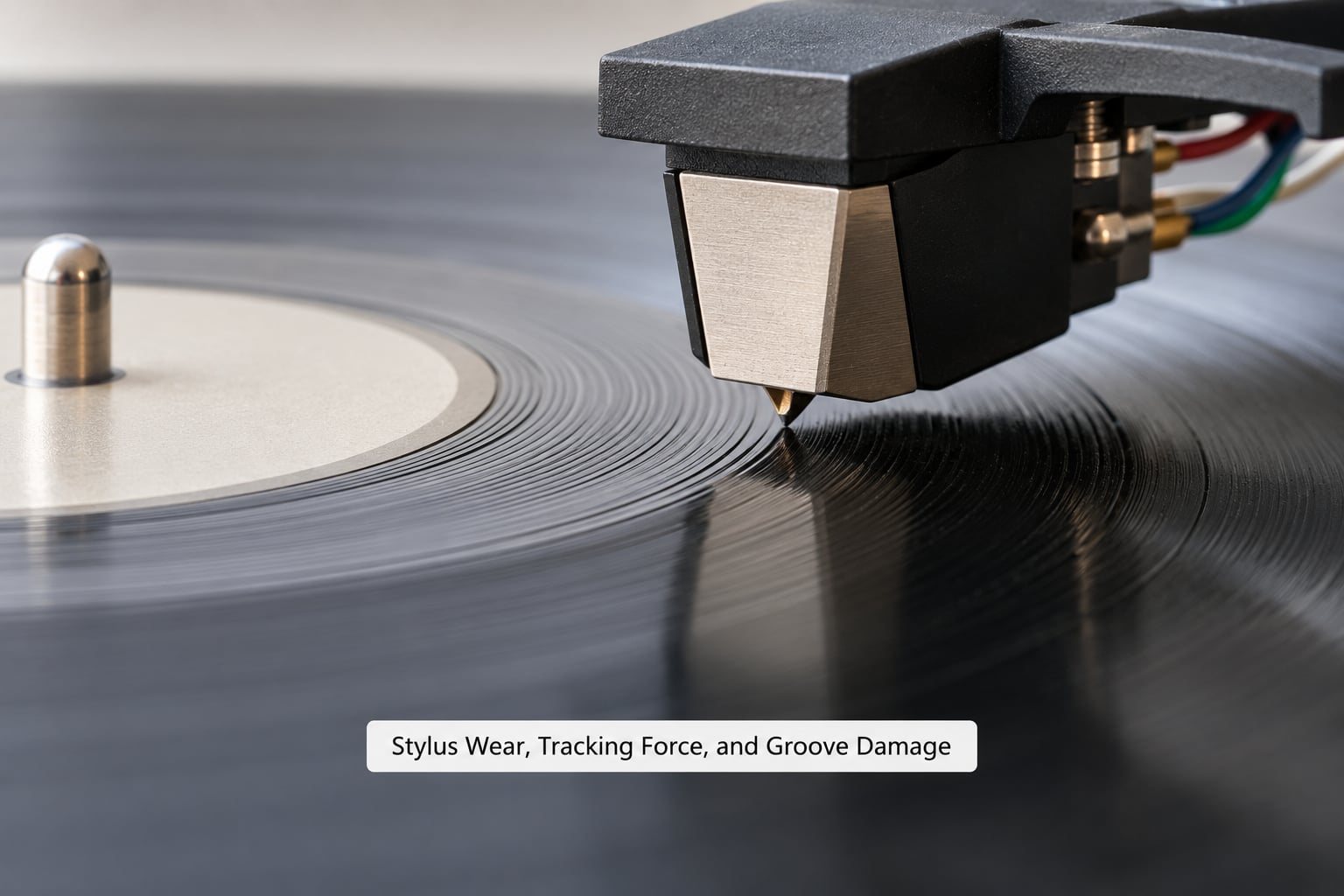
The stylus is the only part of the chain that touches the record, so it carries most of the responsibility for this fault. It also carries the risk, because a badly set-up stylus damages grooves slowly and invisibly.
| Stylus shape | Typical tracking ability | Inner groove behaviour |
|---|---|---|
| Conical | Low | Distorts early, often before the last track |
| Elliptical | Moderate | The usual IGD profile on quiet, dynamic music |
| Microline | Good | Notably cleaner toward the label |
| Shibata | Good to very good | Holds quiet and dynamic passages well inside |
| Hyperelliptical | Very good | Rarely breaks up before the run-out |
| Fine nude diamond | Very high | The most headroom, and it needs a very clean record |
Elliptical styles make up most entry and mid-level cartridges and handle inner groove distortion acceptably on well-mastered material. Finer shapes track the steep inner groove angle better, which is why the turntable forums keep recommending them, and why the recommendation is right even though the improvement is subtle on most records.
Stylus wear shows up as IGD before it shows up as anything else, because a worn tip loses its precise shape and stops contacting the full groove wall. Published lifespan figures are generous, roughly 1000 to 1200 hours for an elliptical and up to 1800 or 2000 hours for a diamond, and many people get there faster with rough handling or a dirty record.
Tracking force is a narrow window. Too little and the stylus rides over peaks it should be following, producing distortion and skips. Too much and you get mistracking, sibilance and permanent groove wear, which is the classic self-inflicted IGD that gets blamed on the pressing. The manufacturer’s recommended range is there for a reason.
Why Inner Grooves Are More Vulnerable to Damage
Four things stack up at the label, and each one makes the stylus’s job harder.
Less groove per rotation. Linear velocity drops toward the centre, so the same information occupies a much shorter length of groove. The groove gets narrower and more finely modulated.
A steeper groove angle. Because the cutting lathe moves more slowly, the walls are cut at a sharper angle relative to the surface. The stylus has to track a wedge rather than a gentle V, and a blunt tip simply cannot sit where it needs to.
Program-dependent cutting. Engineers once placed ballads and quiet tracks last so the narrow grooves could be used without trouble. Modern masters routinely finish a side with a loud, bass-heavy or cymbal-heavy track, and the loudness war of the eighties era left very little spare modulation level anywhere on the disc.
Handling in the vulnerable zone. Fingers around the label are the standard way people hold a record, and that puts pressure exactly where the grooves are narrowest. The same grip near the outer edge does far less harm.
Warping adds to all of it. A record with a slight wave in it undulates under a single point stylus, so the vertical angle keeps changing and the effective tracking geometry changes with it. That produces distortion on both sides and often skips at the run-out.
When to Replace the Record, Stylus, or Cartridge
Use this as a decision guide rather than a rulebook.
Replace or clean the stylus first if distortion is present across the whole record, if detail has gone dull, or if the record has not played in a long time and you cannot rule out a dirty tip.
Fix the setup first if the sound is clean until the last couple of tracks and then breaks up. That is a setup or tracking-ability problem, not a record problem.
Consider the record gone if the last grooves sound permanently shrill, the distortion never improves across repeated plays, there is a visible crack reaching the groove, or a second copy of the same title behaves identically.
Keep the record, fix the cause if a scratch crosses the outer grooves only. Damage in the lead-in area says nothing about your ability to play the music, and it is also a reminder that a stylus which skips will keep making scratches.
Suspect the cartridge or arm if the problem follows you across several different records from several different pressings. A cartridge that cannot hold the inner grooves will fail on every one of them.
Frequently Asked Questions
Why does the inside of my vinyl record sound distorted?
The stylus travels less distance per rotation as it moves toward the label, so the same music is packed into a shorter, narrower groove with a steeper groove angle. When the stylus shape cannot follow that angle precisely, it partially mistracks the groove wall and the high frequencies bloom, producing shrill, sibilant sound in the last track or two of a side.
Can a scratched record cause inner groove distortion?
A scratch in the inner grooves can, especially if it crosses the groove wall at an angle. That gives the stylus something to jump and produces distortion right at the end of the side. Scratches out near the outer edge rarely cause this problem. The difference is easy to test: a defect that follows the same track every play is record damage, while one that moves around is usually dirt or the stylus.
Does increasing tracking force fix inner groove distortion?
Sometimes, and only within limits. If your tracking force is set below the cartridge’s specified range, raising it toward the middle of that range often removes mistracking in the inner grooves. Going above the manufacturer’s maximum does not improve tracking and will permanently wear the grooves, so treat the published range as a hard ceiling rather than a starting point.
Is inner groove distortion usually caused by the stylus?
Often, but not always. A worn tip loses its precise shape and fails to contact the full groove wall, which shows up first at the label where the geometry is hardest. Alignment errors, too little tracking force, over-set anti-skate and debris in the grooves all produce the same symptom. Clean the stylus, replay the track, and only then decide whether the tip needs replacing.
How can I tell if the record is warped?
Place the record on a flat surface and check the edges, or hold it by the label and look across the surface toward a light. A warped record shows a visible curve or a gap under the disc that rocks when you try to rock it flat. On the turntable it usually causes distortion on both sides and skipping or floating at the run-out groove rather than a clean cut-off.
Should I stop playing a record with distortion near the label?
If the distortion comes with crackle or a crack in the groove, stop. Crackle at the inner grooves usually means the stylus is destroying them with excess tracking force or a dirty tip, and every play makes it worse. If it is clean audio that merely sounds shrill, the record itself is usually fine and the issue is the stylus shape, the alignment or the pressing quality.
Conclusion
Start by cleaning the stylus and the record, then replay the exact track that failed. If it is still harsh at the label, fix anti-skate, realign the cartridge, and set tracking force to the middle of the cartridge’s specified range. If the distortion survives all of that and follows a specific pressing, it is the record, and no amount of new hardware will change it.
Some inner groove distortion is simply part of playing vinyl on a pivoted tonearm. The goal is to cut it down to where you stop noticing it, not to eliminate it completely.