A CD that skips is usually dirty, not broken. Wipe the shiny read side with a barely damp lint-free cloth, always in a straight line from the center hole out to the edge, and let it dry before you play it again. Most skipping discs are playable again in about two minutes of work.
That matters because the obvious alternatives make things worse. Circular scrubbing grinds grime across the data track, and household glass cleaner leaves a film that traps more dust than it removes. The fix is a short, boring routine done properly.
One thing worth knowing up front: cleaning solves dirt, grease and fingerprints. It does nothing for a cracked disc, a peeled label, or a scratch that has reached the reflective layer. If you keep cleaning and the skip stays in the same spot, you have probably moved on to a different problem.
Table of Contents
- What You Need to Clean CDs That Skip
- Step-by-Step: How to Clean CDs That Skip
- 1. How to clean CDs that skip safely: inspect and test the disc
- 2. Wipe the disc from the center outward
- 3. Clean the edges and stubborn marks
- 4. Let the disc dry completely
- 5. Test the disc again and know when to stop
- Common Mistakes
- Frequently Asked Questions
- Can a CD skip because of dirt?
- What is the safest way to clean a CD?
- Will alcohol or household cleaner remove scratches from a CD?
- Why does my CD skip only in certain tracks?
- When is a scratched CD no longer worth cleaning?
- Conclusion
What You Need to Clean CDs That Skip

Gather everything before you touch the disc. Halfway through a clean with a grubby cloth is how fingerprints get ground into the read side.
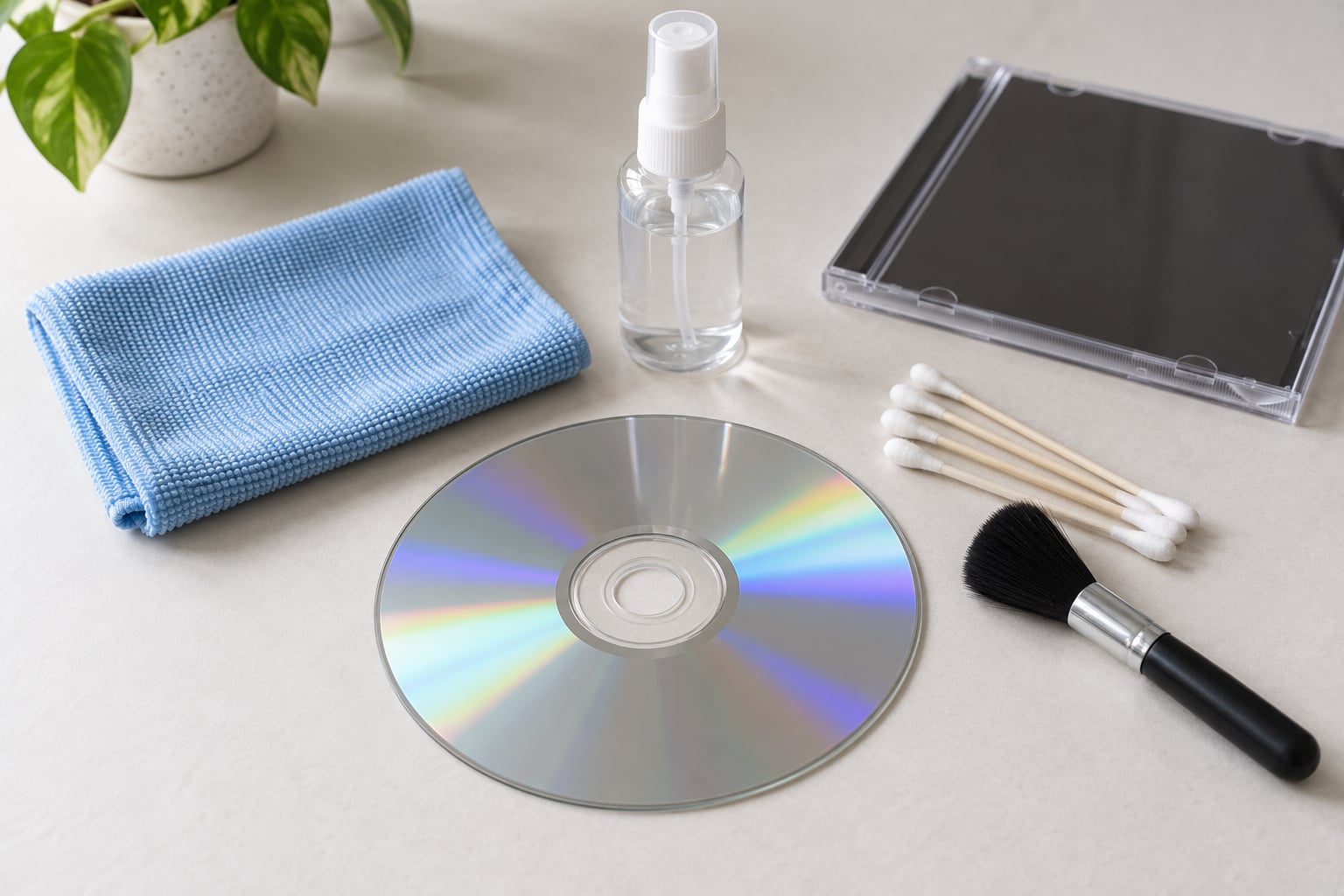
- A soft lint-free microfiber cloth. Two is better than one, so you always have a clean section.
- Distilled or boiled-then-cooled water. Tap water leaves mineral spots.
- A small plastic spray bottle. For misting the cloth, never the disc.
- Cotton swabs and a soft-bristle brush. For the outer edge and small dirty patches.
- A CD cleaning gel, optional. Helpful for heavy fingerprints on discs you handle often.
Keep these away from the disc. Household glass cleaner, ammonia sprays, and anything scented leave a residue that causes skipping later. Paper towels shed fibers. Abrasive sponges and Magic Eraser-type melamine foam will scratch the polycarbonate outright. And no sharp tools, ever — one slip with a screwdriver ends the disc.
Wash your hands with soap and water and dry them before starting. Bare hands carry the oils that create the fingerprints you are trying to remove.
Step-by-Step: How to Clean CDs That Skip
1. How to clean CDs that skip safely: inspect and test the disc
Hold the disc by the edge with two fingers, or by the hole with one, and turn it under a light. You are looking for three things: cracks, deep scratches, and grime.
A crack means stop. Hairline cracks that run to the edge or through the center hole make the disc unplayable, and putting it in a drive risks the drive too. Peeling or torn labels are a similar warning, because the adhesive can let go inside the mechanism.
Then play the disc once before you clean it, and listen for the pattern. Does it skip in one track, in the same place every time, or randomly throughout? A single repeating spot usually means a physical defect at one point on the spiral. Random skipping across the whole disc points at dirt, grease, or the player.
Knowing that before you start saves you from polishing a disc that only needed wiping.
2. Wipe the disc from the center outward
Lightly mist the microfiber cloth with water. It should feel cool, not wet. Squeeze out any excess in your hand before the cloth touches the disc.
Now wipe in a straight line, starting at the center hole and moving out to the rim. Follow the path like a spoke on a wheel, then lift and return to the center for the next pass.
This radial motion is not a preference. The data on a CD is one continuous spiral track running from the center to the edge, and a circular wipe runs across that track the whole way round. A speck of grit caught under the cloth becomes a scratch following the data path. Straight passes never travel along the track, so an accidental scrape crosses it instead of following it.
Keep the pressure light. You are removing a film, not sanding metal. Work around the whole disc, then turn to a clean section of cloth and repeat until the fingerprints and loose dust are gone.
3. Clean the edges and stubborn marks
Grime collects where the disc meets the edge and in patches where the label sits slightly proud of the surface. Hold the disc upright and run a barely damp cloth or soft brush around the outer rim, or use a cotton swab on small stubborn spots.
Still radial. Never scrub a patch in circles, dig at a scratch with a fingernail, or soak the disc. Do not spray liquid directly onto the playing surface either. The tray catches water and the disc slides around in it, which is how you get a scratch that was not there a minute ago.
You know the surface is clean when the disc looks even under a light and the cloth comes away showing no grey film. Wet is not the same as clean. If it still looks streaky, it is still wet.
4. Let the disc dry completely
Air drying takes a few minutes. Set the disc label-side up on a clean, flat surface, or stand it upright in a rack, and leave it alone until no moisture remains.
Any water left on the read side can cause a skip on the first spin, which is a cruel way to think the clean failed. Some people give the disc a final wipe with a dry section of the cloth, then still wait. That is the better habit, because the dry pass can leave lint if the cloth is not perfectly clean.
5. Test the disc again and know when to stop
Put it back in the same player, play the tracks that skipped before, and listen. Random skipping that has cleared means the problem was dirt or grease. Skipping that repeats at exactly the same point means a scratch is still catching the laser, and cleaning will not fix that.
If one disc skips while your others play fine, the disc is the problem. If every disc skips in the same player, the problem is the player. Try a known-good disc in a different machine, and try the suspect disc in a second machine. That one test separates the two causes faster than any amount of cleaning.
When cleaning has done all it can, the next steps get more involved: plastic polish for a light scratch, or a resurfacing machine, which many libraries and game shops will run for free. Collectors on r/Cd_collectors mention library resurfacing constantly, and it is the sensible last step before you replace a disc.
If a data disc finally plays through, rip it and back it up that same day. Discs that recover tend to fail again eventually, and a copy is the only backup that cannot be scratched.
Common Mistakes
Wiping in circles. It feels natural and it is the one thing to avoid. Use straight center-to-edge passes.
Using paper towels or dish towels. They shed fibers that end up on the read side. A microfiber cloth costs little and changes the result completely.
Spraying glass cleaner, Windex, or ammonia on the disc. The film left behind causes more skipping than the dirt did, and some of these products etch plastic.
Scrubbing the label side hard. A scratched label is not the problem. Scrubbing paper just removes print and leaves adhesive.
Blowing on the disc or using compressed air. Both can send dust and moisture straight into the player. Hold the disc upright and let gravity do the work.
Cleaning a disc while it spins in a drive. A cloth wrapped around a rotating disc grinds in whatever is on it. Never do this.
Trying the household myths. Toothpaste, peanut butter, banana peel and freezing all show up in forum threads. Toothpaste is a mild abrasive that can leave a haze of micro-scratches which cause errors later. Peanut butter leaves the disc sticky. Neither is worth the risk on a disc you care about.
Cleaning a wet disc. Water in the tray can skid the disc and scratch it in one pass.
To stop it happening again, handle discs by the edge, store them upright in cases rather than stacked loose, keep them out of direct sun and away from a heater, and give a disc that lives in a car or on a shelf a wipe every few months.
Frequently Asked Questions
Can a CD skip because of dirt?
Yes, and it is the most common cause. Dust, fingerprints and smoke film block or scatter the laser beam, so the player retries the same spot and you hear a skip. Random skipping that moves between plays usually clears after one careful cleaning, while a skip at the same point every time points to a scratch instead.
What is the safest way to clean a CD?
Wash and dry your hands, hold the disc by the edge, and use a soft lint-free cloth barely dampened with distilled water. Wipe in straight lines from the center hole out to the rim, never in circles. Let the disc air-dry fully before playing it. That method removes grime without adding any new scratches.
Will alcohol or household cleaner remove scratches from a CD?
No. Isopropyl alcohol is safe on the read side and good for removing grease and fingerprints, but it does nothing to a scratch. Glass cleaner and ammonia sprays are worse than useless because they leave a film that causes more skipping. Scratches need abrasion or filling, not solvent.
Why does my CD skip only in certain tracks?
A single repeating point usually means one physical defect sitting at that spot on the data spiral, so the player keeps hitting the same trouble spot. Random skipping across many tracks points to dirt, grease, or a dirty lens in the player instead. Testing the disc in a second machine tells you which of the two you have.
When is a scratched CD no longer worth cleaning?
Stop when the disc is cracked, the label is peeling into the mechanism, or a skip repeats at the identical spot after two careful cleanings. Those point to damage in the reflective data layer, which no home method repairs. At that point try plastic polish for a light scratch, or a library resurfacing machine, then retire the disc.
Conclusion
Start by taking the disc out, holding it by the edge, and looking for cracks before you do anything else. If it is intact, wipe the shiny side with a barely damp microfiber cloth in straight lines from the center outward, let it dry fully, then test it again in the same player.
Cleaning removes dirt, grease and fingerprints. It cannot fix a crack, a peeled label, or wear through the reflective data layer. When two cleanings do not move the skip, move up to plastic polish or a library resurfacing machine — and once the disc plays through, back it up that day.